

Experience Vegas at Your Fingertips
Vegas Hero Mobile App Download

VegasHero App Australia – Mobile Casino and Sports Betting Without a Download

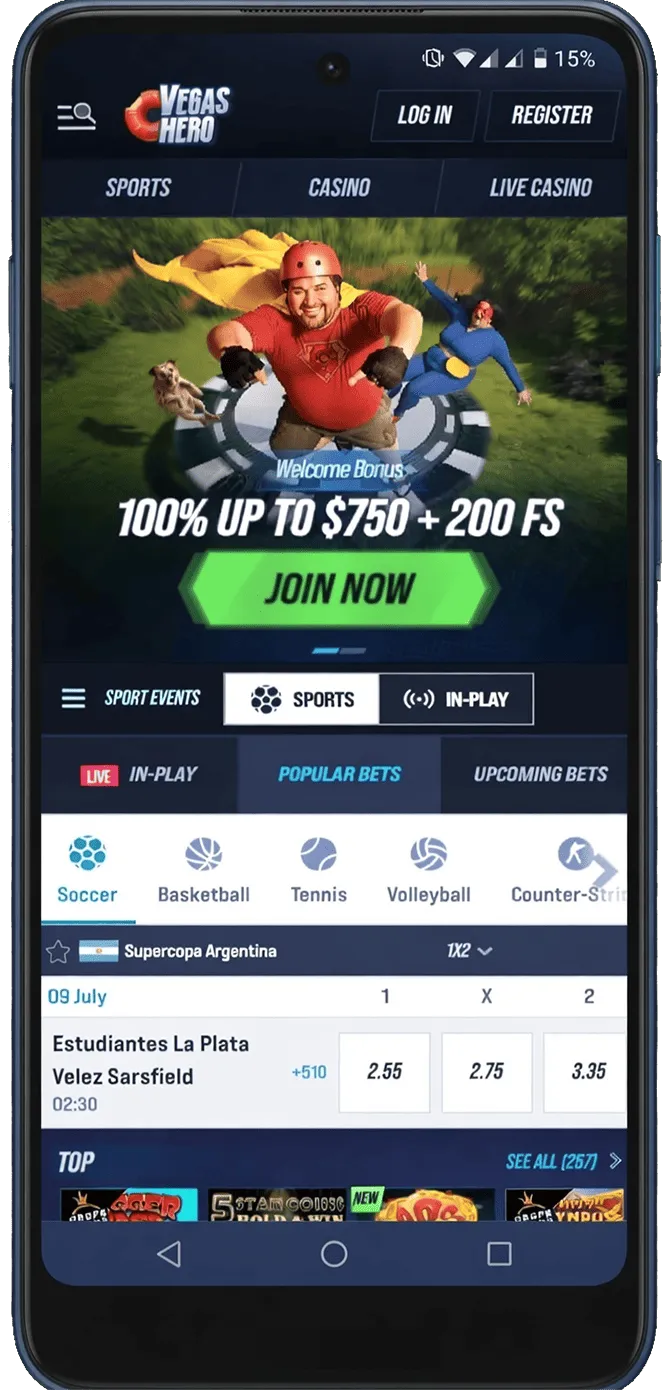
VegasHero’s mobile delivery is browser-based by design. There is no app in the Apple App Store, no Android APK to sideload and no configuration profile to install on an iPhone. The platform runs through Safari on iOS and Chrome on Android, and within those browsers it delivers the complete VegasHero experience: 4,000+ casino games, 200+ live dealer tables from Evolution Gaming, the full sportsbook covering 30+ sports including live eSports markets, AUD cashier with all supported payment methods, weekly and weekend reload bonus code entry, and 24/7 live chat. For Australian players, the mobile browser version is not a reduced experience with desktop features held back – it’s the same platform, accessed differently.
The practical implication is that setup takes about three seconds. Open the browser, navigate to vegashero.com, log in. That’s it. No storage allocation, no update downloads, no App Store approval cycle sitting between a platform update and Australian players receiving it. When VegasHero adds new games, adjusts the sportsbook interface or rolls out a new promotion, mobile players have it immediately – the same moment desktop players do.
PWA Home Screen Setup – The Closest Thing to a Native App
Players who want the visual and functional experience of a native app – a home screen icon that opens VegasHero in full-screen mode without browser address bars and back buttons – can achieve this through the Progressive Web App (PWA) setup. It takes under two minutes on either platform.
iPhone and iPad:
- Open vegashero.com in Safari
- Tap the Share icon at the bottom of the screen (square with upward arrow)
- Scroll the share sheet and tap Add to Home Screen
- Edit the displayed name if preferred and tap Add in the top right corner
- The VegasHero icon appears on the home screen – opens in full-screen mode on tap
Android:
- Open vegashero.com in Chrome
- Tap the three-dot menu in the upper right corner
- Select Add to Home Screen
- Confirm the name and tap Add
- The shortcut icon appears on the home screen and opens VegasHero directly on tap
After setup the PWA shortcut maintains session state when the phone is used for other tasks. Switching to check a sports score or respond to a message and returning to VegasHero resumes the session rather than triggering a full reload from the landing page. For Australian players who check in-play scores while running a casino session, this continuity removes the reload interruption every time they switch back.
The Sportsbook on Mobile – 30+ Sports and Live eSports
The sportsbook section within the VegasHero mobile session covers AFL, NRL, football, basketball, tennis, motorsports, ice hockey and 30+ sports total with pre-match and live in-play markets. Live odds update in real time on mobile in the same way as desktop. The bet slip builds accumulators and system bets responsively with no input lag on standard 4G connections.
The eSports section – CS2, League of Legends, Dota 2 and Valorant – is fully present on mobile with the same market depth as desktop. Map betting, player props and tournament markets are accessible on mobile within two taps from the sportsbook lobby. For Australian players who follow competitive gaming and want to place bets during live matches from a phone, the mobile eSports section functions without any reduction compared to desktop.
Cash-out on qualifying live bets is accessible from the My Bets section in the mobile sportsbook when available. Open bets, current cash-out values and match progress statistics are all visible without requiring a switch to desktop for account management. The same AUD balance used for casino sessions is available for sports bets within the same mobile login – no transfer, no separate wallet, no interruption to the session.
Pokies on Mobile – 4,000 Titles in the Browser
Every title in the VegasHero game library is accessible in the mobile browser. Pragmatic Play, NetEnt, Microgaming, Quickspin, Play’n GO and the full 20+ provider catalogue load with responsive controls sized for touch input. The Bonus Buy tab is accessible from the mobile game lobby as a direct navigation item, not a secondary filter. Sweet Bonanza, Gates of Olympus and Bonus Buy titles from multiple studios display their feature purchase price in AUD within the game screen before any bet is placed.
Megaways titles with up to 117,649 ways to win process cascade sequences and win calculations at consistent frame rates on current iPhone and mid-range Android hardware. The visual complexity of full-cascade Megaways mechanics doesn’t produce frame rate drops in the mobile browser on devices from the past three to four years. Autoplay is available across the full pokies catalogue – players can set a spin count and run sessions with the phone resting, which suits unattended mobile play without requiring constant screen contact.
The New section of the game library updates immediately on mobile when providers push fresh titles to the platform. There is no delay between a new title appearing on desktop and becoming accessible in the mobile browser. Australian players who check the New section regularly get the same first-access timing as desktop users.
Live Casino Streaming on Mobile
The Evolution Gaming live casino with 200+ tables streams through the VegasHero mobile browser with adaptive bitrate management that adjusts video quality dynamically based on connection strength. Crazy Time, Monopoly Live, Lightning Roulette, Boom City and the full game show suite stream at stable quality on standard Australian 4G. Blackjack, roulette, baccarat and Salon Privé high-limit tables are all accessible on mobile with identical table limits to desktop.
In-game dealer chat functions through a touch-optimised overlay that doesn’t obstruct the table view. Camera angle selection is available on supported Evolution tables via a tap control within the game interface. Side bet options – where applicable by game type – are accessible on mobile without requiring the expanded interface that desktop provides. The betting timer countdown on live tables is readable on phone screen sizes without zoom.
| Live Feature | Mobile Status |
|---|---|
| Crazy Time / Monopoly Live | Full stream, full betting interface |
| Lightning Roulette | Adaptive HD stream, standard 4G stable |
| Dealer chat | Touch overlay, doesn’t block table view |
| Table limits | Identical to desktop across all studios |
| Salon Privé (high limit) | Accessible on mobile, same limits |
The daily 25% live casino cashback up to $200 AUD at x1 wagering applies to live sessions run from mobile in the same way as desktop. Australian players whose live casino activity primarily or entirely runs on a phone accumulate the same daily cashback eligibility as desktop users.
Mobile Cashier and Bonus Codes
The AUD cashier in the VegasHero mobile session displays all deposit and withdrawal methods: Visa, Mastercard, Skrill, Neteller, MiFinity, Bitcoin and Ethereum. All deposits process instantly. The bonus code field appears at the cashier’s deposit step – the same position as on desktop. Weekly reload code HERO50 and weekend reload code WEEKEND are entered in that field before confirming the deposit. The complete welcome sequence, weekly and weekend reloads can be managed entirely through the mobile cashier without ever opening a desktop browser.
Skrill and Neteller withdrawals on mobile process essentially instantly after casino approval. Bitcoin and Ethereum follow network confirmation timelines. Visa and Mastercard withdrawals take 2–3 business days. No fees from VegasHero on any method. KYC document uploads for identity verification are accessible through the mobile account area – the phone camera photographs documents directly, which is faster than the scan-and-upload process on desktop.
Support and Performance on Mobile
Live chat opens as an overlay from any page within the mobile VegasHero session without closing the active game or resetting the sportsbook view. The support team operates 24/7 with average response times of 3–5 minutes. For Australian players mid-session with a question about a bonus code or a withdrawal status, the chat resolves the query without disrupting session context.
Performance across current-generation hardware is consistent. Pokies average one to two second load times from tap to first spin on recent iPhone models and mid-range Android. Live casino stream initialisation takes two to four seconds at stable 4G. The battery draw from browser-based casino play benefits from hardware-accelerated rendering that both iOS and Android apply to graphical web content, which shifts animation and video processing to the GPU and reduces heat generation during extended sessions.
Tournaments on Mobile
All six VegasHero tournament formats are accessible from mobile. The Drops & Wins ($3,000,000 AUD), The Masters ($2,250 AUD), Live Casino Tournament ($1,650 AUD, $0.45 AUD minimum bet), Monthly Race ($3,750 AUD), CashCrab Monthly Race ($3,240 AUD) and Slot of the Week ($1,650 AUD) all contribute qualifying play from mobile sessions. Australian players who run exclusively on mobile accumulate tournament eligibility and points in the same way as desktop users, with leaderboard positions visible from the tournaments section in the mobile account without desktop access required.
The Live Casino Tournament’s $0.45 AUD minimum bet is the most accessible entry threshold on the platform. Mobile live sessions at standard bet sizes are automatically within scope without any stake adjustment, which means Australian players whose primary activity is mobile live casino are participating in the tournament by default on qualifying tables.
Download & Win Big 🎰
Get the Vegashero app and unlock AU$1,000 Welcome Bonus + 100 Free Spins on your first deposit!
| Bonus | Free Spins |
|---|---|
| 100% match up to AU$1,000 | 100 spins |
- Instant access to 3,000+ games
- Exclusive mobile-only promotions
- Lightning-fast deposits & withdrawals
Frequently Asked Questions About the Vegas Hero App
How much storage space does the Vegas Hero app require?
The Vegas Hero download app typically requires between 80-150MB of storage space, depending on your device and operating system. This modest size ensures the VegasHero app won’t take up excessive space on your phone while still delivering premium gaming performance. We recommend having at least 200MB of free space available for optimal installation and updates.
Can I use the same account on both the Vegas Hero app and website?
Yes, your Vegas Hero account works seamlessly across all platforms. Whether you’re using the Vegas Hero mobile casino app, desktop website, or mobile browser, you can log in with the same credentials and access your balance, bonuses, and gaming history. This cross-platform compatibility ensures you can switch between devices without any hassle.
Is the Vegas Hero app safe and secure for Australian players?
The VegasHero app employs industry-leading encryption technology to protect your personal and financial information. Licensed and regulated for Australian players, the Vegas Hero casino mobile app adheres to strict security standards and responsible gambling practices. All transactions are secured with SSL encryption, and your data is stored on protected servers.
Do I need to update the Vegas Hero mobile app regularly?
Yes, we recommend keeping your VegasHero casino app updated to access the latest features, security enhancements, and game releases. The app will typically notify you when updates are available, making the process simple and convenient. Regular updates ensure optimal performance and the best possible gaming experience on your mobile device.
Can I claim the welcome bonus through the Vegas Hero app?
Absolutely! New players can claim the full welcome bonus package when they sign up through the Vegas Hero casino app. Simply create your account, make your first deposit via the app, and the bonus will be credited automatically. All promotional offers available on the desktop site are also accessible through the Vegas Hero app for Android and iOS.
What should I do if the Vegas Hero app isn't working properly?
If you experience issues with the VegasHero app, first try closing and reopening the application, or restart your device. Ensure you’re running the latest version by checking for updates, and verify you have a stable internet connection. If problems persist, contact the Vegas Hero customer support team through live chat or email for immediate assistance with troubleshooting your Vegas Hero mobile app.